
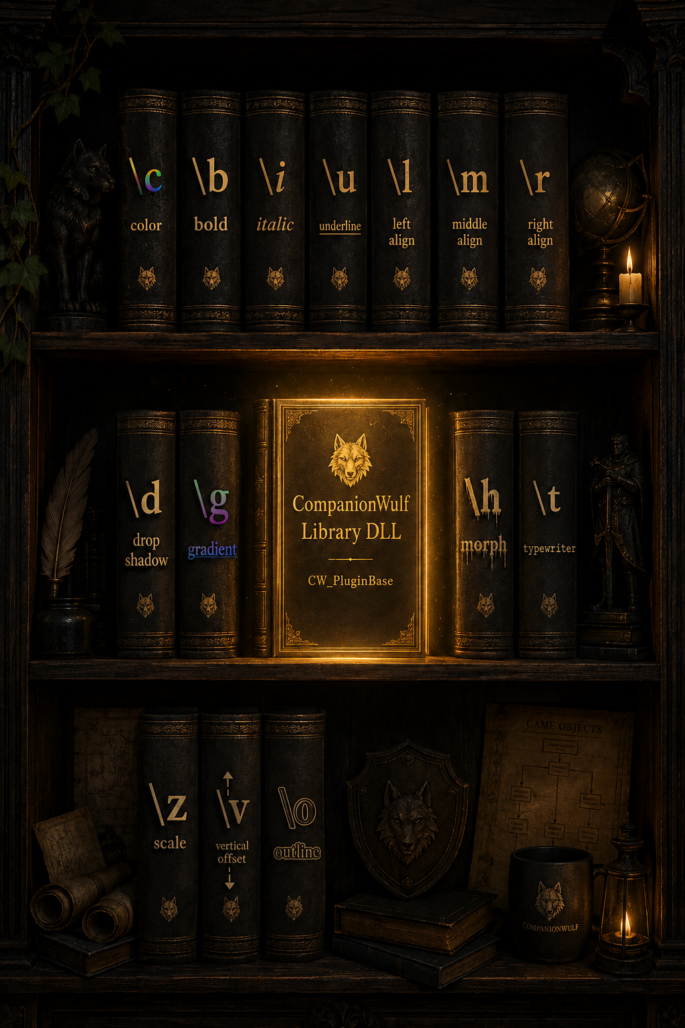
One Library to Parse Them All
Version 1.0.0 | © 2026, Companion Wulf | Free for commercial and non-commercial use
What is the Companion Wulf Library?
The Companion Wulf Library is a shared class library for RPG Developer Bakin plugins.
Instead of writing or using the same rich text parser, color converter, and drawing utilities for every plugin, resulting in repeated code, this class library provides easy-to-use helper functions that you can take advantage of to streamline your plugin development.
No more copying and pasting 500 lines of code into every plugin!
Why Did I Create the Library?
I decided to learn how to write plugins for Bakin some time last year. However, I deferred due to health issues and the declining health of my other half. That became my main focus. She passed away in October 2025 and I was all but ready to give up on Bakin and creating the plugins, and game development in general. In fact, I was resolute that I would “retire” completely.
But then I remembered some of the things she would say, that she made me promise to keep: “Live your life for you, not for me, even after I’m gone.” and “Continue doing what you do best, what you’re most passionate about, what makes you happy…”
I vowed I would fulfill those promises. Notwithstanding, the past 5 years in particular have been extremely difficult – ongoing health issues and many of my loved ones passing away – but throughout it all and despite it all, my other half was the beacon of light, the voice of reason and inspiration.
Six months ago – two months after she left this world – I took it upon myself to learn all I can about Bakin plugins and, by extension, relearn C#. As I wrote more plugins – most were experimental to gain further knowledge and insight – I realised that the plugins used the same functions and parsers. Rather repetitive and wasteful. Hence, the Companion Wulf Library was created – shared code to let me (and others) build plugins faster, maintain them easier, and never rewrite the same things twice.
How It Started
My first plugin grew from a popup system I used in the game I created for AmalgamAsh’s Smile Game Builder REVIVAL Jam, The Princess Oracle. Rather than using SGB’s somewhat rigid events system to generate the popups, I realised that Bakin’s plugin system allowed a more flexible structure.
Hence, the Rich Text Popup plugin was born. It started as a simple popup designed to display a simple message, information on locations, factions, items gained, and so on. I then thought it would be nice to have text decorations – similar to Bakin’s own input support for messages – such as bold, italic, underline, and colors.
One feature led to another. Outlines, gradients, typewriter effects, and suddenly the simple popup became a rich text rendering system – complete with a parser capable of handling a growing list of commands.
By the time I’d (experimentally) written my third plugin – the second being the End Credits plugin (designed to be more curated than Bakin’s default one) – I noticed a pattern. Each of them used the same features – colors, shadows, gradients, typewriter effects – requiring the same parsing logic to measure text and parse commands.
That’s when I realised that instead of copying the parser into every plugin, wouldn’t it be better if everything were in a single library file that other plugins could access? This is where the centralized Library DLL came from – a shared codebase handling all the heavy lifting so each plugin can focus on its unique functionality.
What the Library Actually Does
What’s actually in the Library? Here’s a breakdown on what it provides:
Features & Functionality
Think of the Library as the engine and each plugin as a different vehicle.
Rich Text Parsing
The Library includes a full rich text parser that converts command strings, such as \c[FFD709]Golden Text\c[0] into formatted text with color, size, alignment and effects.
Supporting Commands:
Category
Basic Formatting
Alignment
Size & Position
Effects
Animation
Gradients
Morph
Commands
\c[RRGGBB] (color), \b (bold), \i (italic), \u (underline)
\l (left), \m (center), \r (right)
\z[%] (scale), \v[±%] (vertical offset)
\o[RRGGBB] (outline), \d[x,y,color,alpha] (drop shadow)
\t[0/1] (typewriter reveal)
\g[color,color] (smooth transition between two colors)
\h[color,color,startScale,endScale] (animate color and size together)
Drawing Utilities
Once text is parsed into segments, the Library provides methods to render it:
Method
DrawUnderline()
DrawTextWithOutlineAndShadow()
DrawGradientText()
Commands
Draws a line under text with configurable thickness
Renders text with optional outline (8-directional) and drop shadow
Draws text transitions smoothly between two colors
These methods handle the positioning, color blending, and Bakin’s TextDrawer integration.
String Utilities
Beyond rich text, the Library includes some general-purpose string helpers:
Methods
ParseColorCode()
WrapText()†
WrapTextToList()†
WrapTextWithColor()†
Commands
Converts RRGGBB hex strings into Bakin Color objects
Takes a long string and automatically inserts line breaks to fit the popup width
Returns wrapped text as a “list string” for per-line processing
Wraps text and adds rich text color to each line
† WrapText alone saves hours of manual line breaking for popups, item descriptions, and UI text. However these are still experimental.
Shared Data Structures
The Library also includes common classes that can be used across multiple plugins so there’s no need to redefine them:
Methods
RichTextSegment
DropShadowSettings
GradientSettings
MorphSettings
TextAlignment
Description
Stores parsed text with all formatting properties (color, scale, alignment, shadow, gradient, morph, etc.)
Shadow offset, color, alpha, and active state
Start/end colors and active state
Start/end colors, start/end scale, and active state
Left, Center, and Right enum
These are the same structure used internally by the parser, so plugins can access them directly if needed.
Singleton Access
The Library is designed as a singleton. Once referenced, it can be accessed through a single instance:
private CW_PluginBase Base => CW_PluginBase.Instance;
Error Handling
The Library includes safety checks throughout. If a method can’t complete (e.g. is null or a color code is invalid), it fails gracefully rather than crashing the plugin or the game.
When Will It Be Released?
I honestly have no immediate plans to release the Companion Wulf Library. I created it for the plugins I’ve created for my game The Princess Oracle (developed in RPG Developer Bakin now). If there’s enough interest, or if anyone can take advantage of anything in the Library, then I guess I could release it as a free Bakin resource.
If this is something you’d want, let me know on Discord, X (Twitter), or wherever you found this page.

